Halcyon Download

For Mac and Windows

Halcyon

Reflections and light for your photographs.

Click where the water should start and Halcyon mirrors your photo in a lake, the sea, ice, a polished floor or a glowing grid. Add a sun or a lens flare, and its light can shine in the water too.

Free for 14 days. Version 1.0.0 for macOS 14 or later on Apple silicon, and for 64-bit Windows 10 or 11.

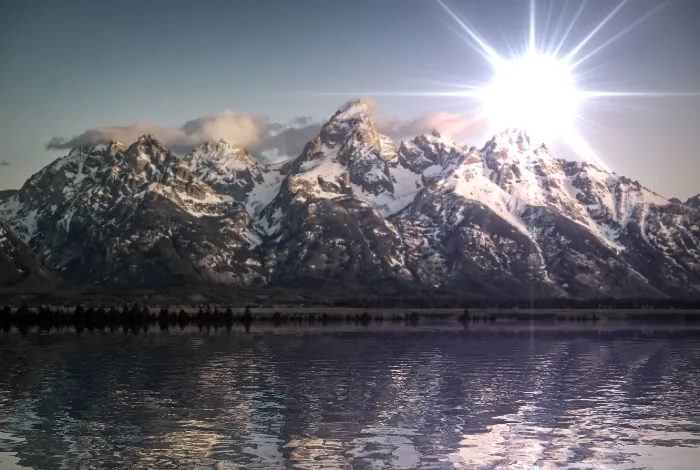
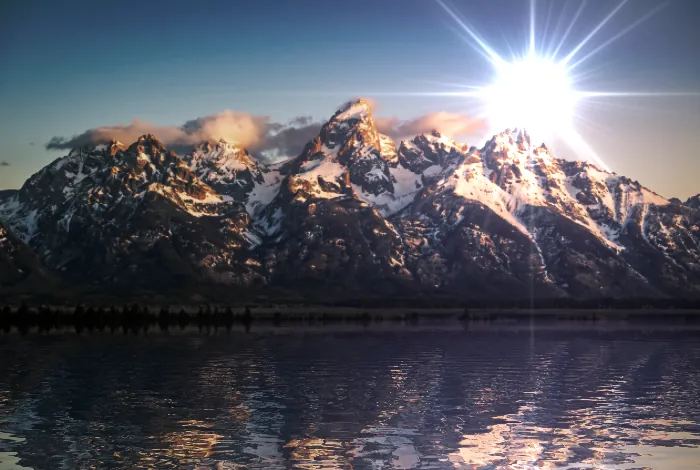
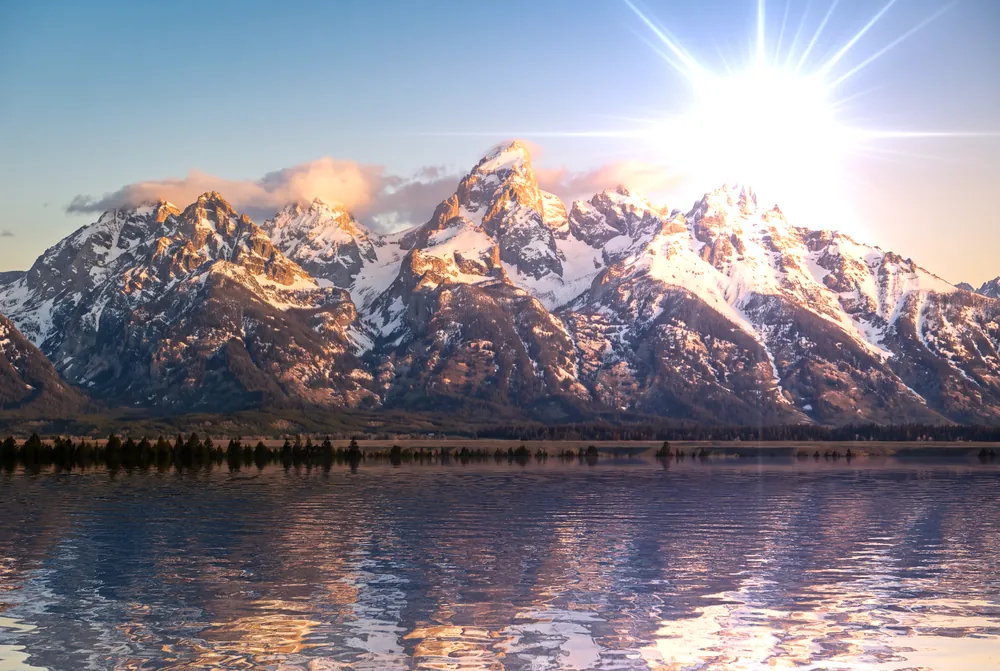
The photo in Halcyon: snow-capped mountains mirrored in rippling lake water, with a bright sun flare in the sky.
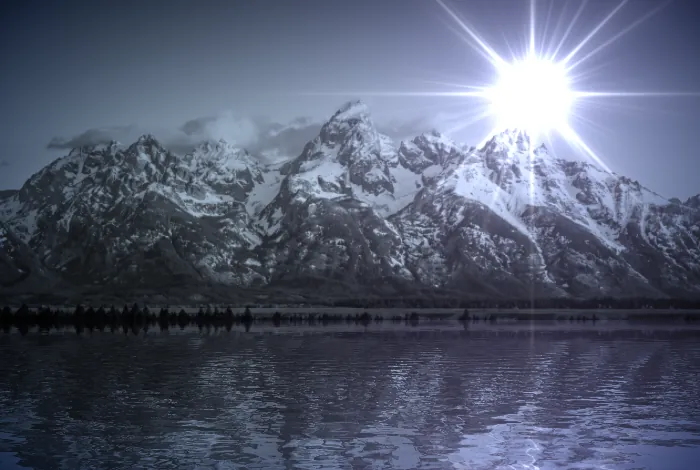
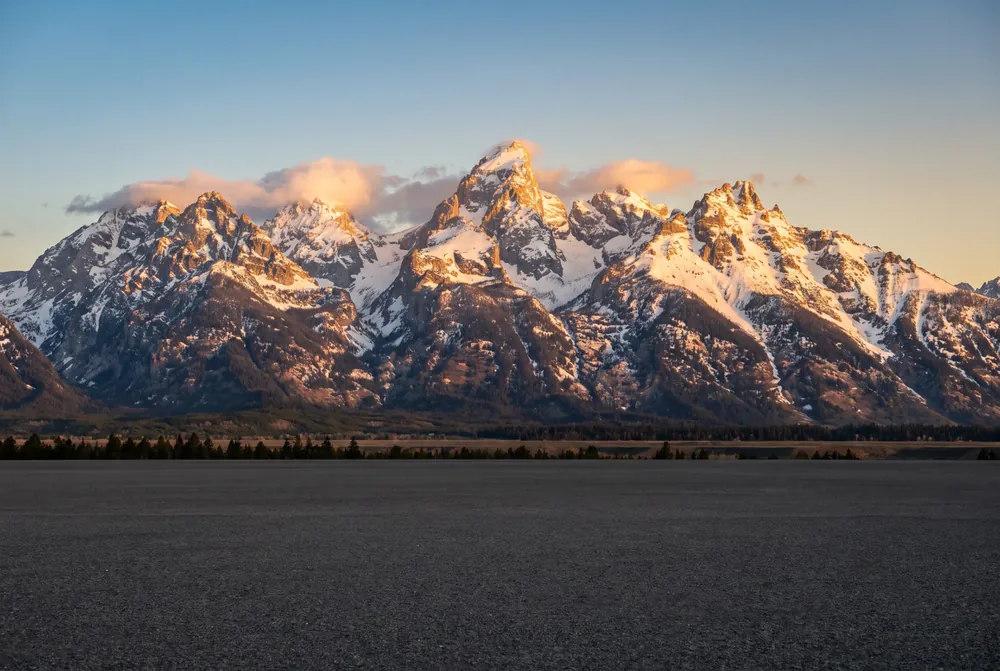
The original photo: the same mountains above a strip of plain and trees, with no water and no flare.
Drag across the picture to compare. Left, the photo as it was; right, the same photo in Halcyon on the Lake 4 surface, with a sun flare.

Two apps in one

Stillwater and Ghostlight, in one window

Halcyon brings together Stillwater, for reflections, and Ghostlight, for lens flares. The surfaces and flares sit in the sidebar, their settings in the Inspector, and the three tools in the title bar: Horizon, Light and Mask. It follows your system's Light or Dark appearance, on a Mac and on Windows.

The Halcyon window: flare families in the sidebar, the photo with its reflection in the middle, and the Inspector's flare settings on the right.
The Flares page, in Light.The Reflect page, in Dark. The same window on Windows has its menus in the title bar.

Features

Everything Halcyon does to a photo

The Inspector has a page for each part of the picture.

Reflect

64 surfaces to reflect in

Water, oceans, beaches, ice, floors, tiles and sci-fi grids, in seven groups. Click or drag on the photo to set the horizon: everything above it is mirrored below, rippled and blurred by the surface, and faded towards the bottom.

Then fine-tune the displacement, blur and fade, lay the surface's own pattern over the water, and add misty, smooth or heavy fog along the horizon.

  • 64 surfaces
  • 7 groups
  • Fog and overlays
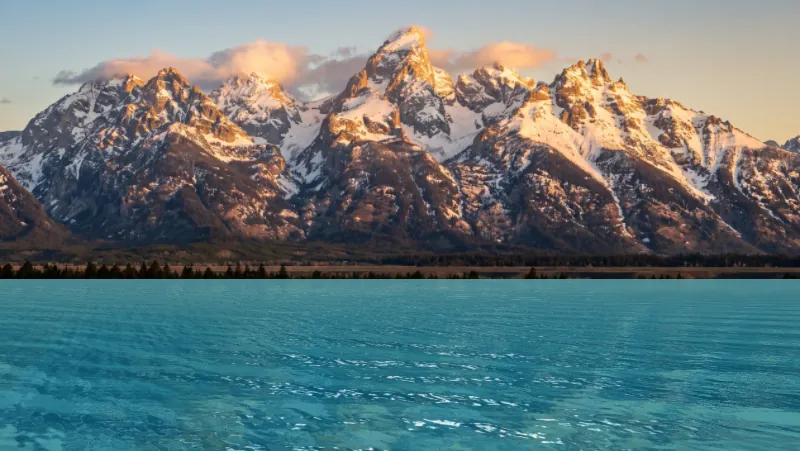
  • Mountains reflected in clear turquoise sea water.Ocean 7 Oceans
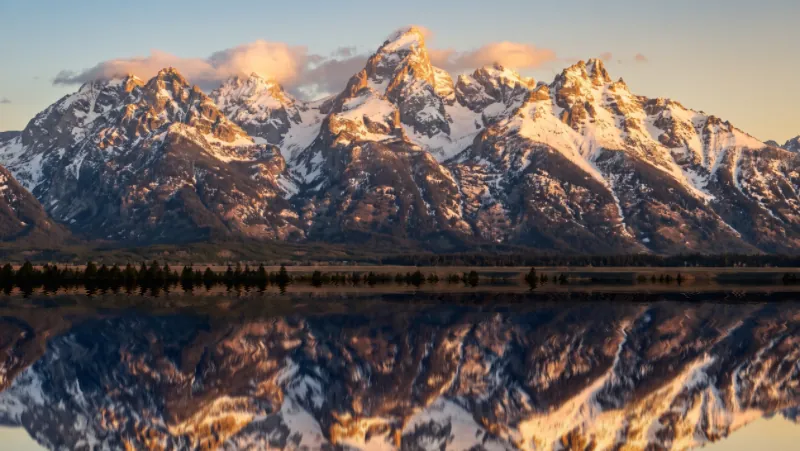
  • Mountains mirrored almost perfectly in smooth ice.Smooth Ice 1 Ice
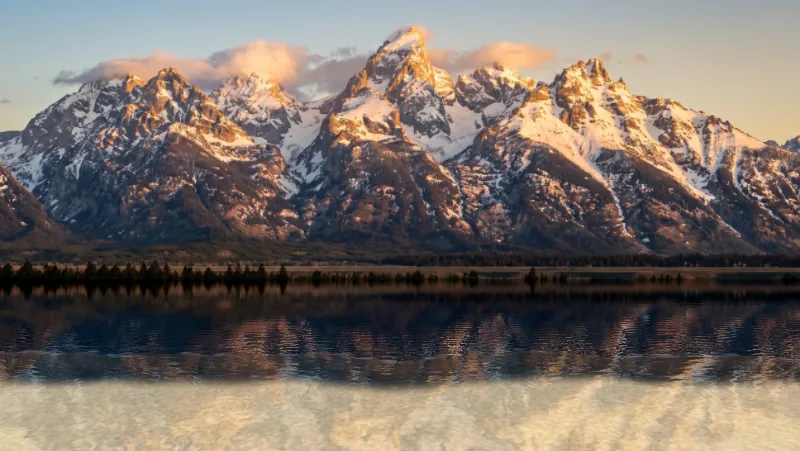
  • Mountains reflected in shallow water over pale sand.Beach 2 Beaches
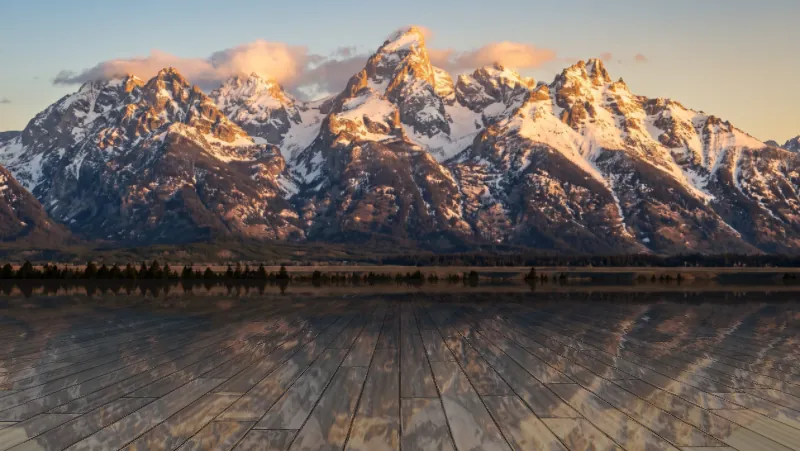
  • Mountains reflected in a polished wooden floor running towards the horizon.Wood Floor 1 Floor Surfaces
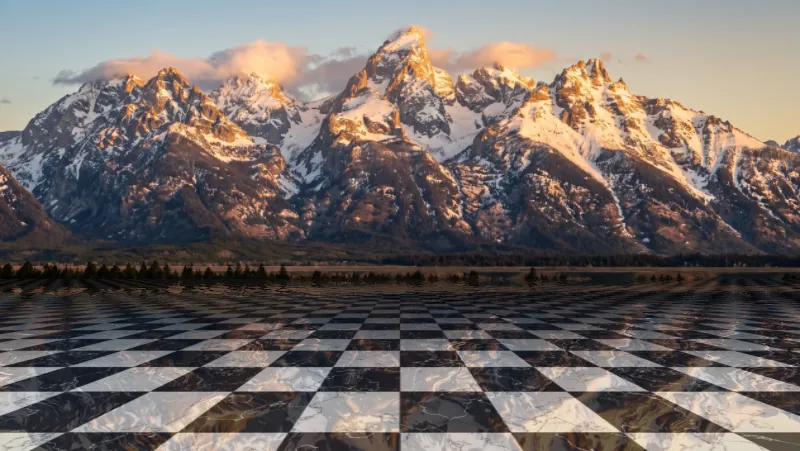
  • Mountains reflected in a floor of black and white marble tiles.Marble Tiles 1 Tiled Surfaces
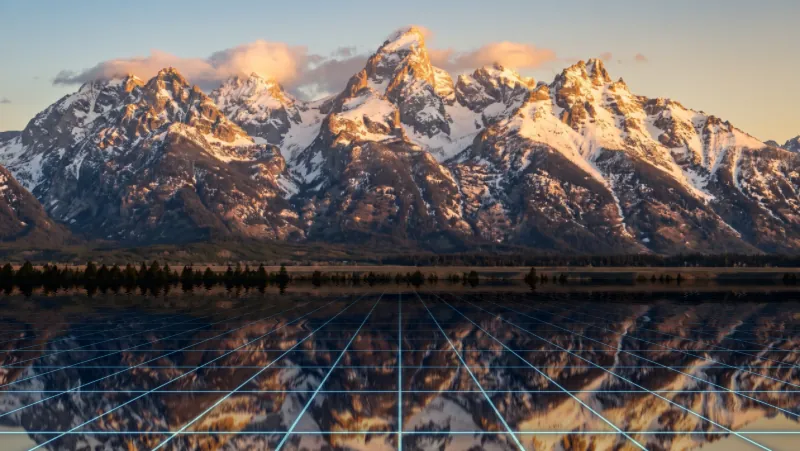
  • Mountains reflected in a dark floor crossed by a glowing blue grid.Glow Grid Sci-Fi

Flares

297 lens flares, drawn as you work

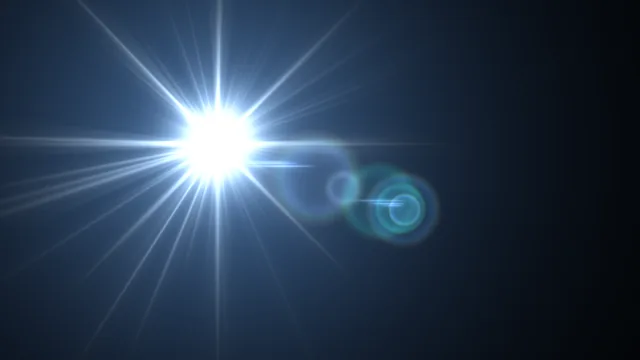
Sun flares, anamorphic streaks, spherical ghosts, elements, streaks, bokeh and rainbows: seven families, every flare drawn on your graphics card. Drag a flare's light across the photo and its ghosts follow the lens; hold Option (Alt on Windows) to move its optical centre.

Stack as many flares as you like. Each has its own Source, Artifacts, Opacity, Scale, Aspect Ratio, Rotation, Colour Tint, Gamma and Saturation, and linked flares move together.

  • 297 flares
  • 7 families
  • Any number of layers
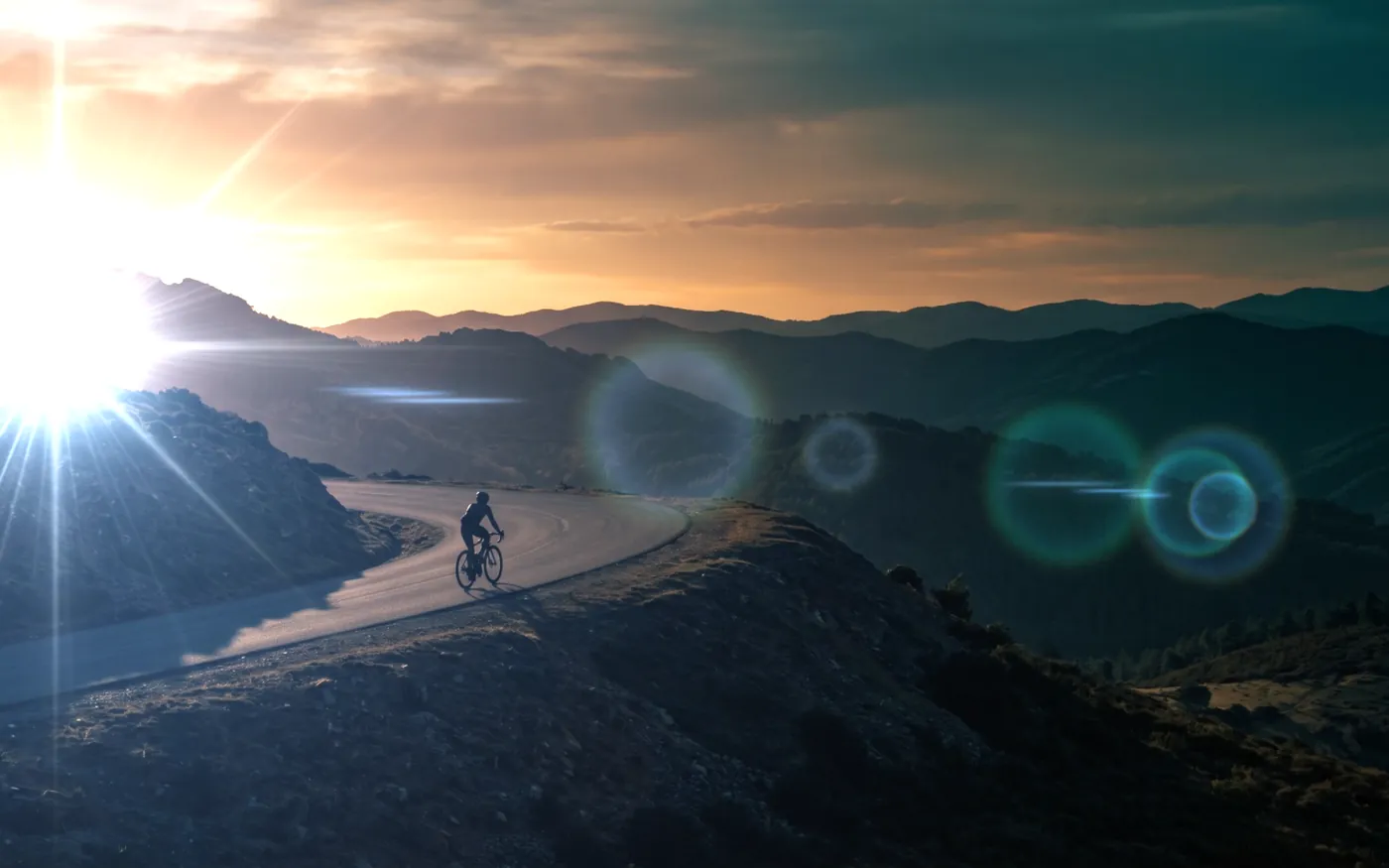
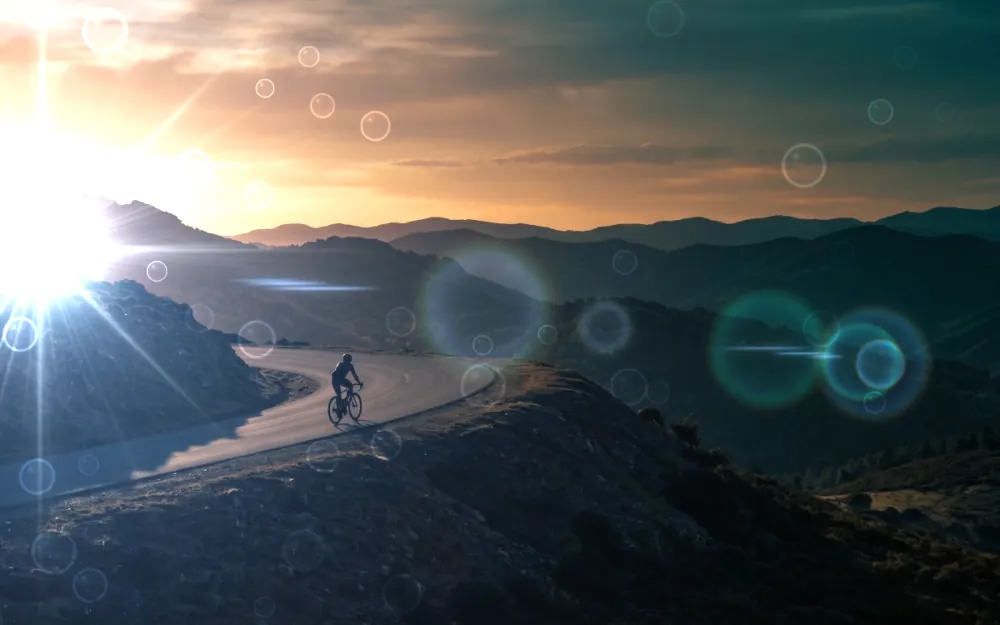
A cyclist on a mountain road at sunset, with a bright sun flare at the left edge and coloured lens ghosts across the hills.
Sunlight 3, one of the Sun Flares.
  • Sun Flares
  • Anamorphic Lens
  • Spherical Lens
  • Elements
  • Streaks
  • Bokeh / Glows
  • Rainbows / Lights

Flares in the water

Light that reaches the water

Switch on Reflect in Water and a flare is mirrored as well: rippled by the same waves as the photo, faded with it, and hidden wherever the mask brings the photo back. It's off until you want it, flare by flare.

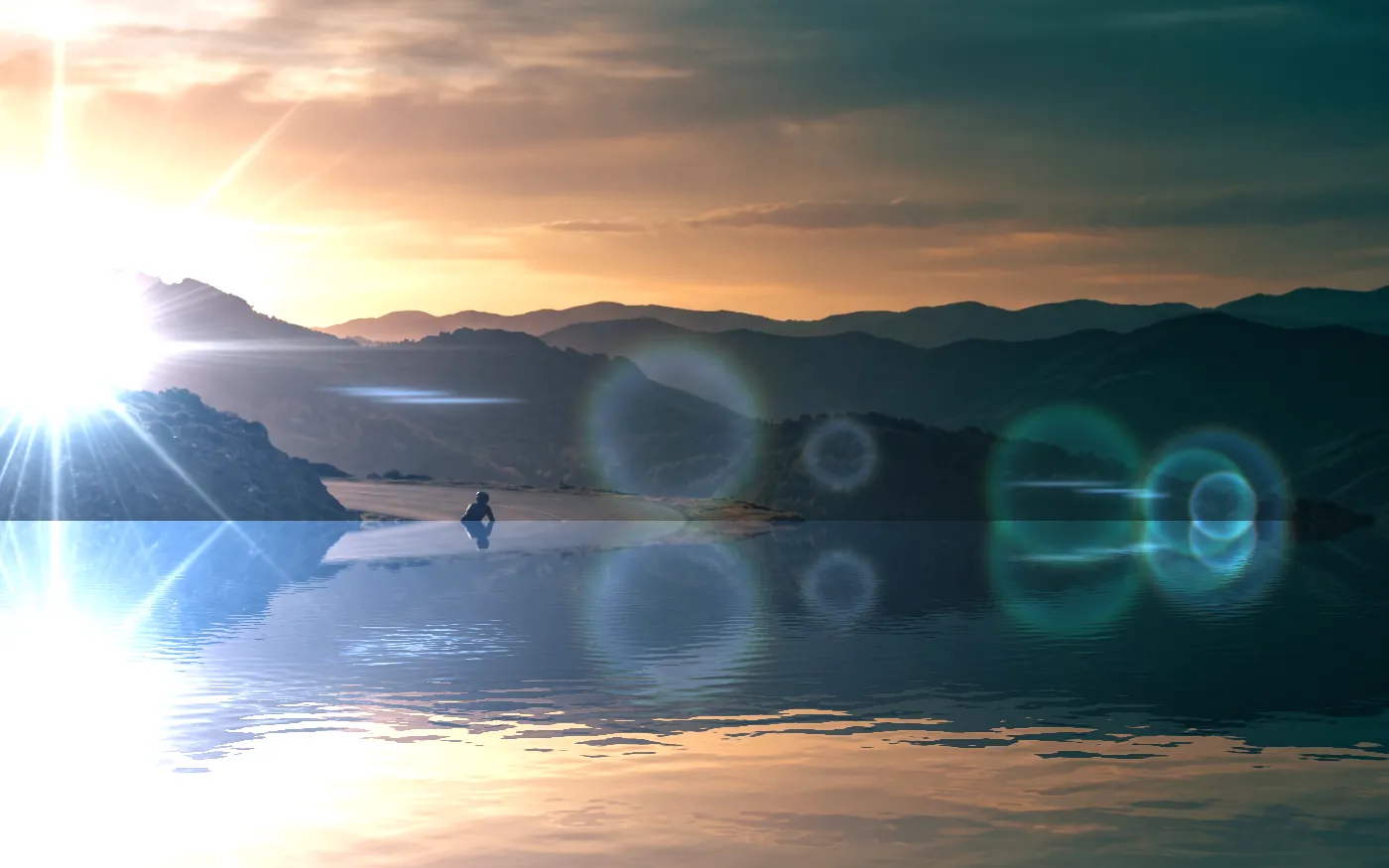
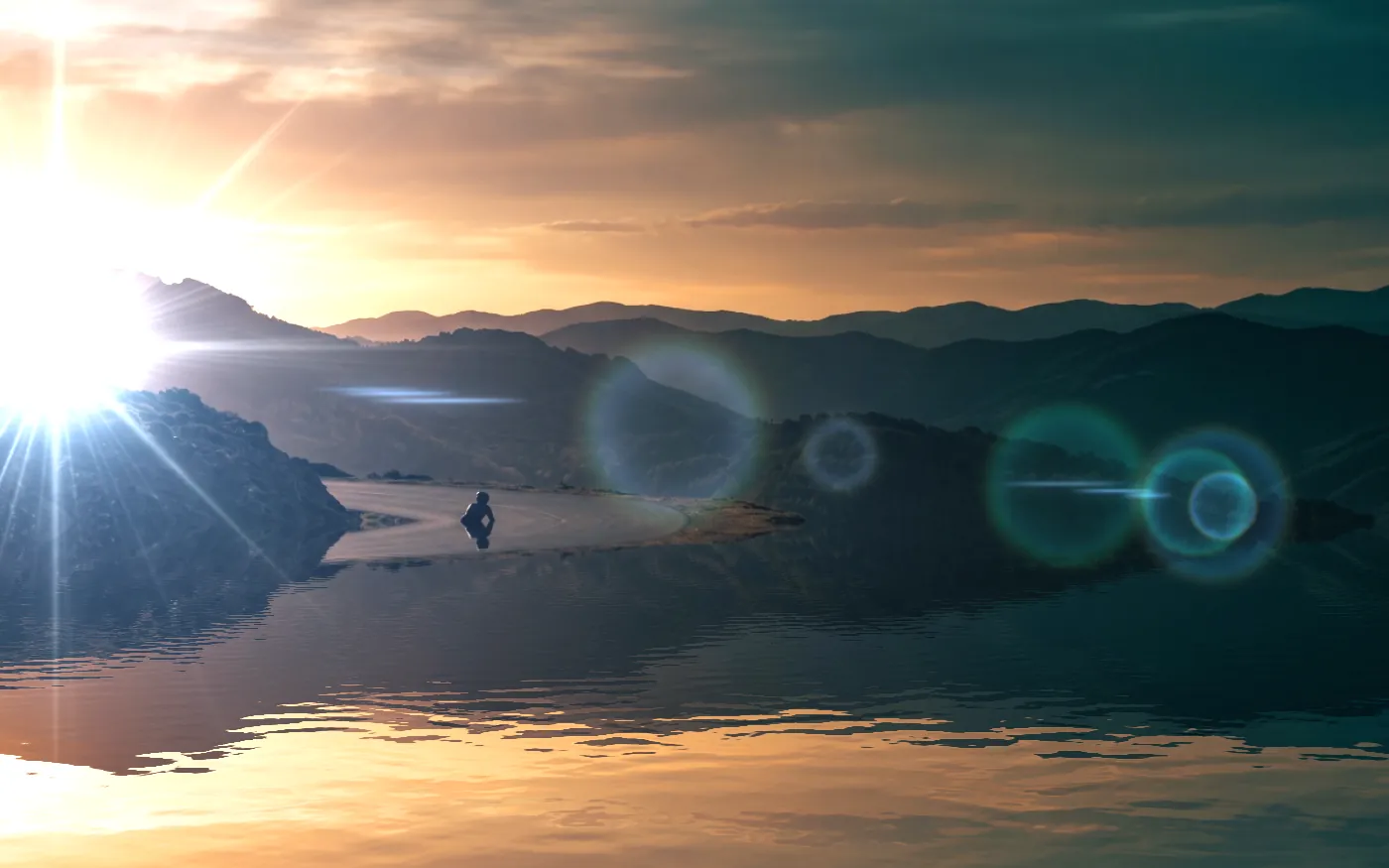
A low sun over hills, mirrored in a lake below: the sun's glare and its round lens ghosts shine in the water too. The same scene with Reflect in Water off: the hills are mirrored, but the sun's glare and ghosts stay in the sky.
Sunlight 3 over the Lake 1 surface.

Look

34 looks from two apps

Stillwater's 17 lens filters and Ghostlight's 17, each grading the picture the way it did in its own app, from Cinematic and Cyanotype to Neo Teal and Night Vision. Brightness, Gamma, Saturation and a Top Fade finish it off.

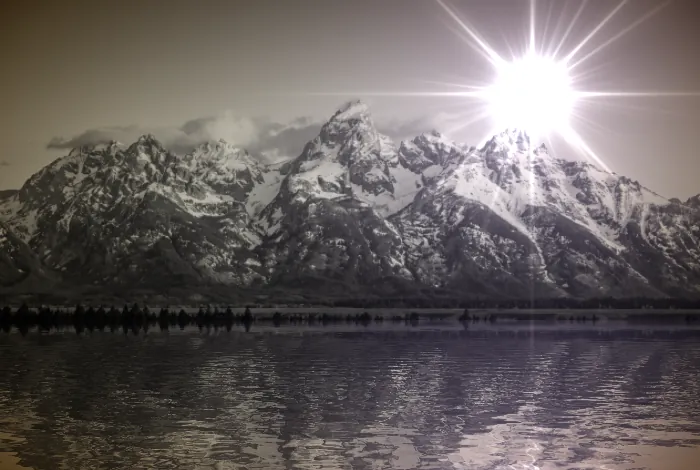
  • The mountain picture in a cool, low-contrast cinematic grade.Cinematic Stillwater
  • The mountain picture in blue cyanotype tones.Cyanotype Stillwater
  • The mountain picture with teal shadows and warm highlights.Neo Teal Ghostlight
  • The mountain picture in brown sepia tones.Sepia Stillwater

Texture

23 lens textures

Dust, film grain, metal, raindrops, smudges and scratches over the whole picture, as if they were on the lens. Blend them in with Blend, Screen, Add or Dodge.

  • The sunset road picture with raindrop rings caught in the light.Raindrops Dodge
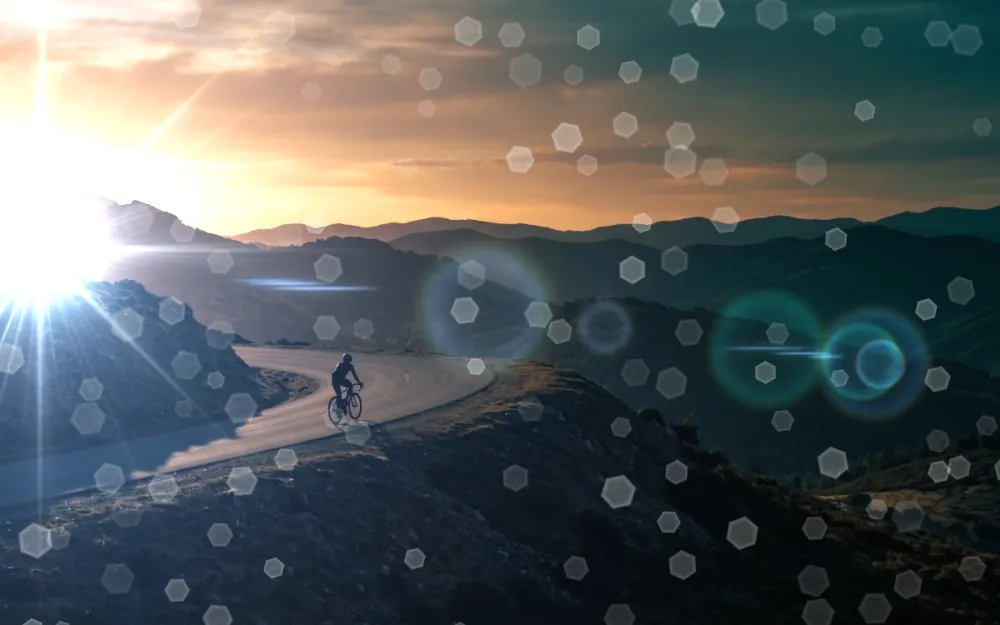
  • The sunset road picture with soft hexagonal dust spots across it.Hex Dust Screen

Mask

Bring the photo back

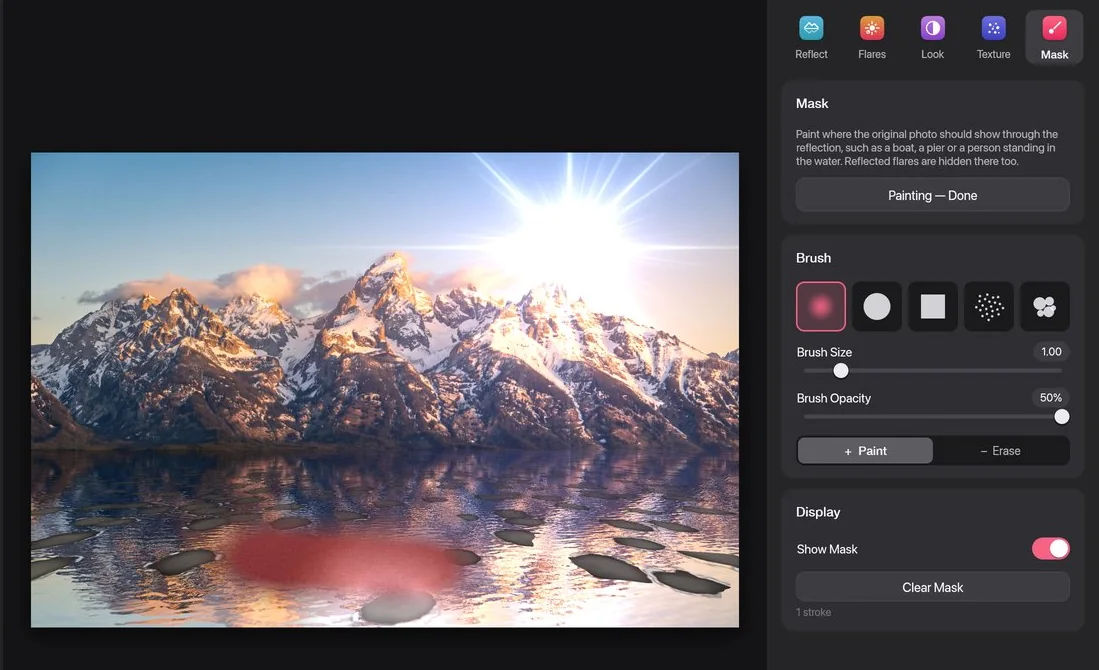
Paint where the original photo should show through the reflection: a boat, a pier, someone standing in the water. Reflected flares are hidden there too. Five brushes (soft, hard, square, spray and splatter) at any size and opacity, with Paint and Erase.

Halcyon's Mask page: a red stroke painted on the water, and the brush shapes, size and opacity in the Inspector.
The mask shows in red while you paint.

And the rest

  • Compare Drag a line across the photo to see it before and after.
  • Crop and straighten Crop freely or to a ratio, level a tilted horizon, or turn the photo a quarter at a time.
  • Undo Every edit can be undone, and the Edit menu names it.
  • Export PNG, JPEG and TIFF at full size, with 16 bits per channel for 16-bit photos.
  • Copy Copy the finished picture, or only the reflection with the sky left transparent.
  • Share and print Share, print, or add the picture to Photos (on Windows, save it to Pictures).
  • Projects Save your work as a Halcyon project. Stillwater, Ghostlight, Tarn, Halation and LensFlare Studio documents open too.
  • Blank pictures Start from a black picture, at the size you choose, for flares on their own.

Download

Download Halcyon

Version 1.0.0, free for 14 days on each computer. Each download has a SHA-256 checksum.

Mac

macOS 14 Sonoma or later, on a Mac with Apple silicon (M1 or later).

Download for Mac
File
Halcyon-1.0.0.dmg, 13.3 MB
SHA-256
9dc7e032b31a1c3e90bf1144f56333359679b429a63e9ab995774f8233c79029 checksum file

Installing

  1. Open the disk image and drag Halcyon to Applications.
  2. Open Halcyon. This version isn't notarised by Apple yet, so macOS says it couldn't check it: click Done.
  3. Open System Settings, then Privacy & Security. Next to the message about Halcyon, click Open Anyway and confirm. You only do this once.

Windows

64-bit Windows 10 or 11. Windows 11 on Arm runs it too.

Setup
Halcyon-1.0.0-windows-x64-setup.exe, 10.5 MB
SHA-256
edb372b682524546c2dd15c342be254dd9f02735dca0f818d5ed0a61135d12ba checksum file
Zip
Halcyon-1.0.0-windows-x64.zip, 13.4 MB
SHA-256
9111f2f84a9152434f898f6a5c8763a145c860897b97c9db3804fc949359da67 checksum file

Installing

  1. Run the setup. It installs Halcyon for you alone, so it doesn't need an administrator.
  2. This version isn't signed yet, so Windows may say it protected your PC: click More info, then Run anyway.
  3. Halcyon is then in the Start menu. Or unzip the portable copy anywhere and run Halcyon.exe.

Licence

Free for 14 days, then a licence

One licence is a year of Halcyon on two computers, Mac or Windows in any mix.

  • Try everything

    Halcyon starts a 14-day trial on each computer the first time it opens. There's no account to make; it only needs the internet to start.

  • After the trial

    Halcyon still opens and shows your photos and projects. Exporting, copying, sharing, printing and saving projects need a licence.

  • Two computers

    Enter the code in Halcyon's Licence window on each. A licence lasts a year, and a renewal reaches Halcyon by itself.

  • Works offline

    Halcyon checks the licence about once a day, and keeps working for 30 days without the internet.

  • Changing computers

    Deactivate This Computer, in the Licence window, frees its seat. From a new computer you can also move a seat with your code.

  • Virtual machines

    The free trial doesn't run in a virtual machine, but a licence does.

Buy a licence

Halcyon sends the licence server one-way hashes of this computer's identifiers, its name and model, and the app's version. Your photos never leave your computer. Privacy

The user manual

Every tool, setting and shortcut in Halcyon, step by step, in one PDF.

Download the manual (PDF, 15.7 MB)